

Preview & Publish
Every change you make in the Builder stays a draft until you publish it. The toolbar at the top right of the Builder gives you three controls to review and release your work: Preview, Save, and Publish.
Previewing your changes
Click the Preview button in the top toolbar to see your store exactly as visitors will, without saving or publishing.
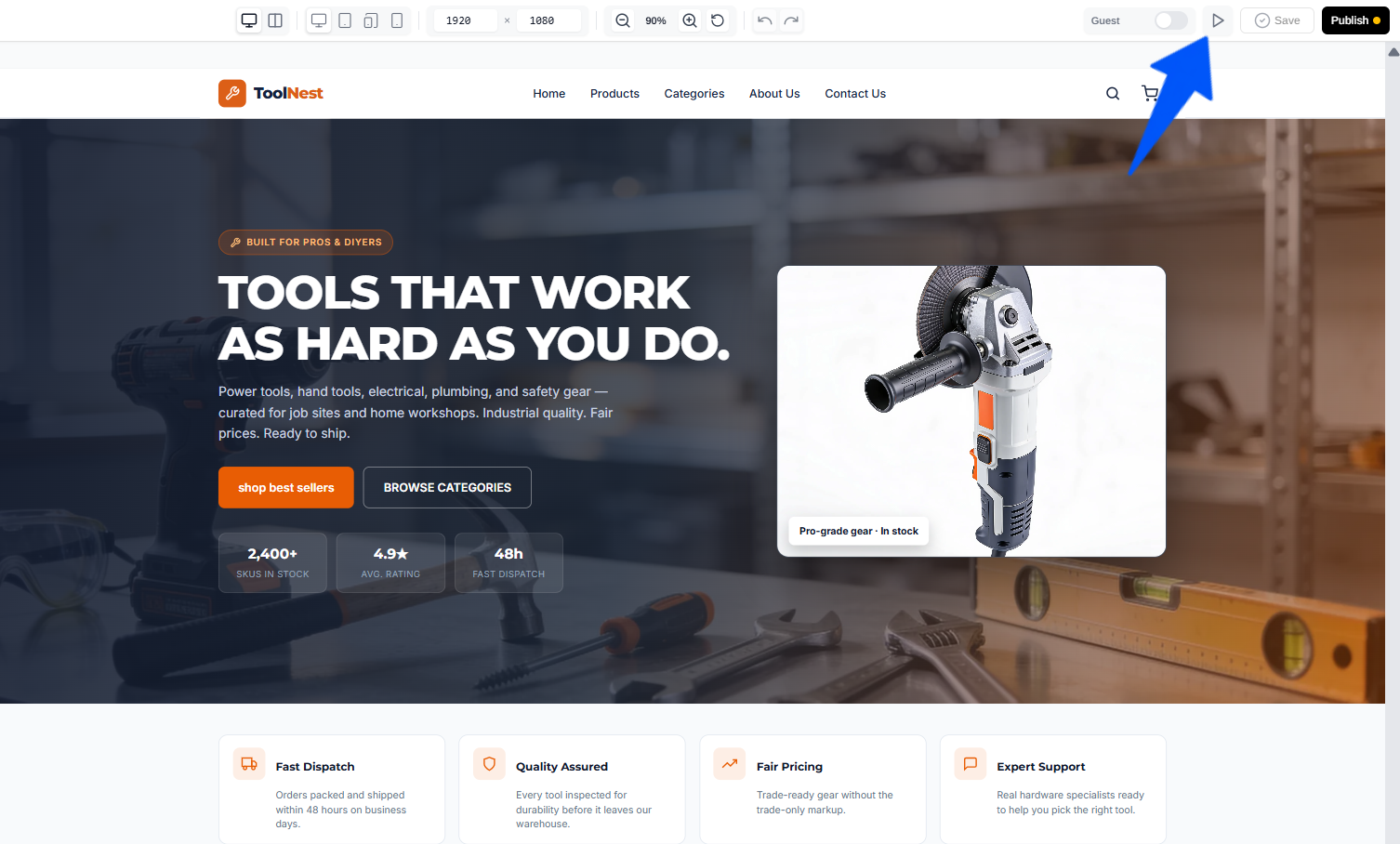
Use it to check how a change looks before you commit to it, so you can keep editing, undo, or adjust if something isn't right.
Saving your changes
Click Save to store your current work as a draft. Saving keeps your progress without pushing it live, so you can come back and continue later.
Publishing your changes
Click Publish to make your changes live on your store. This is the final step, once published, visitors see your updates.
AI Buddy
Make changes to your store just by describing them, AI Buddy is the in-Builder AI assistant that generates pages, updates content, and links things up from a simple prompt.
Overview
The Dashboard is your store's control center, track sales, orders, and customers, and jump to everything you manage from one place.